I have spent the last month and a half working on a Sysmon configuration for the LOLRMM framework. This framework is extremely useful for those who intend to hunt down RMMs within their environment. Thus I have been working on this configuration and it is nearly complete and will likely be finalized within the next few weeks.
The Sysmon configuration I created can be found here: https://github.com/shotgunner101/Sysmon-LOLRMM
It took extensive work finding the installers, sandboxing them, going through the sandbox report results and in some cases installing them on my local virtual machines to expand the available behaviors to filter on for the RMM’s highlighted in that framework.
The sections of the configuration which should be considered fully “complete” are:
ProcessCreate, ProcessTerminate, FileCreateTime, RawAccessRead, FileCreate, FileCreateStreamHash, FileDeleteDetected, FileExecutableDetected.
The sections that have had all the indicators added from the framework but need review in sandbox behavioral reports before I consider them “complete” are:
NetworkConnect and DNSQuery.
Finally, the Sections that have partial mirroring of filters (ImageName) for example but need data pulled from the framework and sandbox reports for additional filtering is:
DriverLoad, ImageLoad, RegistryEvent and PipeEvent.
The sections I didn’t enable in the configuration due to inability to filter for these RMM specifically, are potentially able to break things (running out of disk space, blocking execution, blocking file deletion, etc), or are likely to be EXTREMELY noisy are the following:
CreateRemoteThread, ProcessAccess, WmiEvent, FileDelete, ClipboardChange, FileBlockExecutable, FileBlockShredding.
I am open to enabling the ProcessTampering section if someone can come up with a compelling example or argument to convince me how it would apply to RMMs specifically and be useful to log.
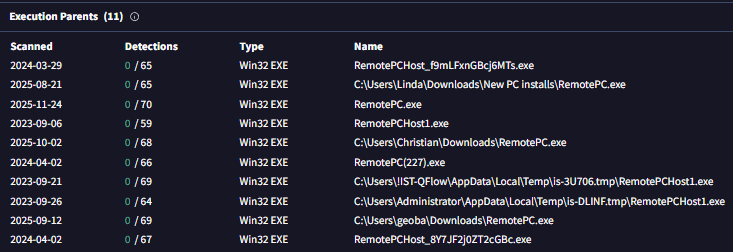
My process consisted of utilizing VirusTotal Enterprise/VTI and specifically the searching + Relation functions to dig into execution chains to try and find installers for the RMM solutions (if they werent available on google).


Once I got the installer I would go to Hybrid-Analysis and sandbox the installer with flags for silent/quiet install based on the type of installer (Innosetup uses “/SILENT”, Installshield uses “/s”, NSIS uses “/S” and the Windows + Wix installers use “/qn”.
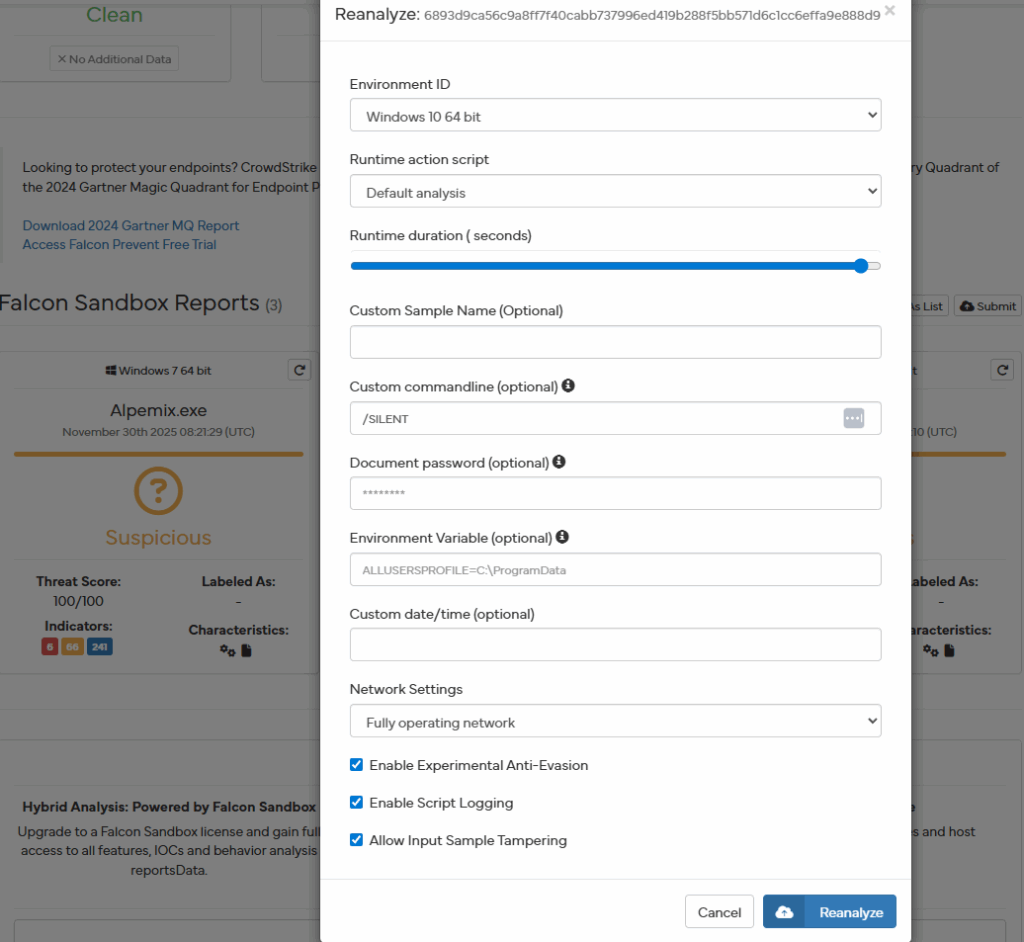
I would then dig through the sandbox reports for extracted files, network connections, DNS requests, through the in memory strings to see other potential files tied to the RMM solution, additional folder paths, etc.
I would then submit the files to any.run for sandboxing for a secondary opinion. Especially if I needed to be interactive with sandboxing the RMM sample.
Once the sandboxing was complete ID pivot on this function in the sandbox
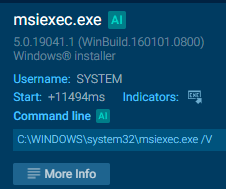
I would then pivot on the specific data on the left I was looking for to add to the Sysmon config in each respective process.

I would then filter through the information and add any additional data any.run may have logged that hybrid-analysis may have missed and by doing so have additional data on each RMM’s installers impact on endpoints and execution.
The website https://www.shouldiremoveit.com/index.aspx was also very useful to pivot on potentially additional files that the software writes to disk that may not have been seen during sandbox sessions.
If the RMM solution was something that was not in any sandboxes, VTI, google or any of the software listing sites like above I would then resort to AI as a final backup to dig into an RMM’s solution’s digital presence to try and find locations to download it, context on the RMM, potential behavior from the RMM once installed, etc.
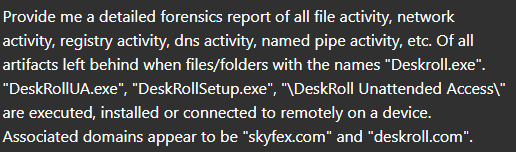
Once I then reviewed all of this information and dug into each individual file, folder, etc to see if they were related potentially to other software then I would include them in the Sysmon configuration.
An example test of the configuration results can be found here with the Ammyy Admin installer. These are the exported Sysmon logs from my test in a VM but I will highlight below this section some screenshot examples of this testing:
https://drive.google.com/file/d/1CC8Ioq3ZpvjrcMN06NIlmfzZc3K8XFqI/view?usp=drive_link
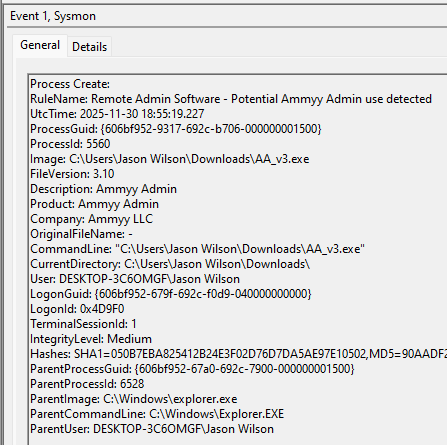
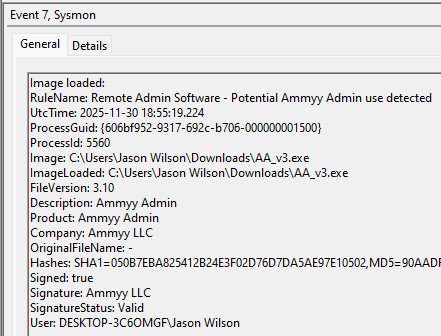
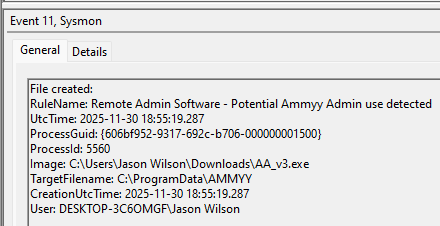
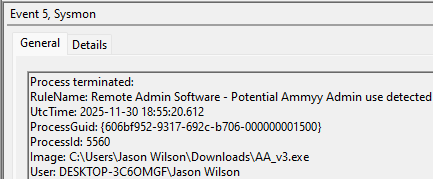
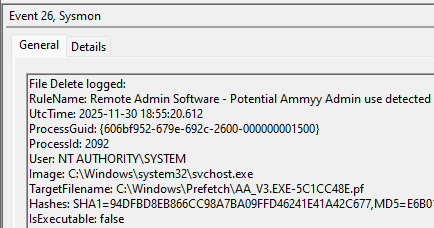
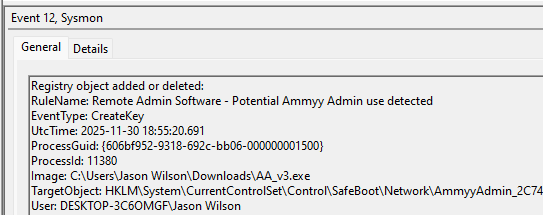
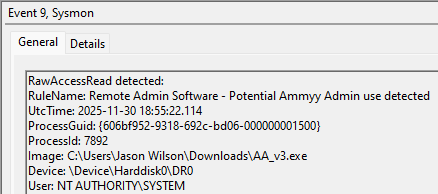
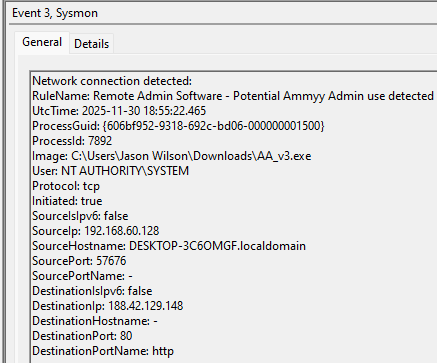
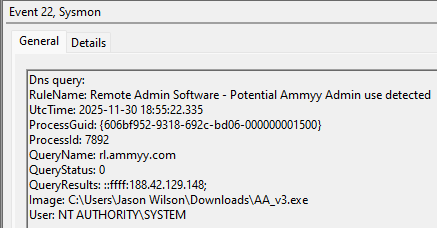
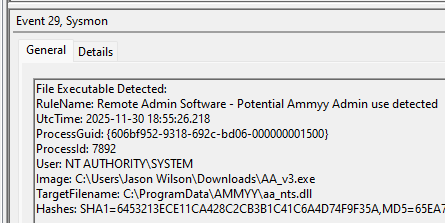
These are only a dozen or so of the example logged events out of the 350~ or so that are logged during the installation and initial execution process. While that is allot of events it provides a wide surface area of visibility for hunting in a SIEM and for rule creation to hunt for RMM’s within your network even if the files have been renamed, repacked/obfuscated, etc.
This project has been a labor of love (and some pain lol) to ensure that the proper logging is created in Sysmon for these RMMs en masse and available to the public to benefit the entire InfoSec community.
If anyone has any questions or concerns you can reach me on twitter at: https://x.com/shotgunner101
Please consider this Sysmon configuration a “living” document currently as it is in the final stages of completion. There is likely to be edits and improvements made by me for the coming month before I define it fully “complete” where all avenues have been exhausted to dig into this.
Leave a Reply